What's new in AquaPlan: from meet entry to race analysis
A swim meet means a lot of work for the coach: entries have to be collected, lists sent to the organiser, results copied and races analysed. Now all of this is connected in AquaPlan — from the moment the meet goes into the plan until the race shows up in the athlete's progress chart.
 Kim Torry Simmenes · 7 November 2026 · 4 min read
Meets right in the season plan
Add the meet with date, venue, pool length, entry deadline and list of events. The weekly plan now has a Competition session type, and AquaPlan suggests the meet taking place that day.
- Warm-up and swim-down are set up in the training set editor, with ready-made templates to start from.
- Competition volume is kept separate from training volume but included in the total — so you see what the athlete actually swam.
Athletes enter themselves
The athlete opens the meet in the app, picks events and gets an entry time suggested from their best result. As the coach you approve or reject, and lock the entries when you are happy.
- Athletes without their own account — typically the youngest — are entered by you.
- Deadline reminder: athletes who haven't entered get a notice in the app as the deadline approaches.
A ready-made list for the organiser
When the entries are ready, export them as CSV or Excel, print them, or create a Uni-P file — the entry format used by many Norwegian meets. No more copying from notes and messages.
Results straight into the training log
After the race, the athlete or the coach records the final time. If the athlete didn't start, that's one tap. The number of races and competition metres go straight into the training log.
Import personal bests
If the athlete already has results, download the overview from the Norwegian results service medley.no as CSV and upload it to AquaPlan. You see a preview before anything is saved — what's new, what already exists and which times are new personal bests. Bests are shown per pool length, gathered from all sources.
Every race in the race analysis
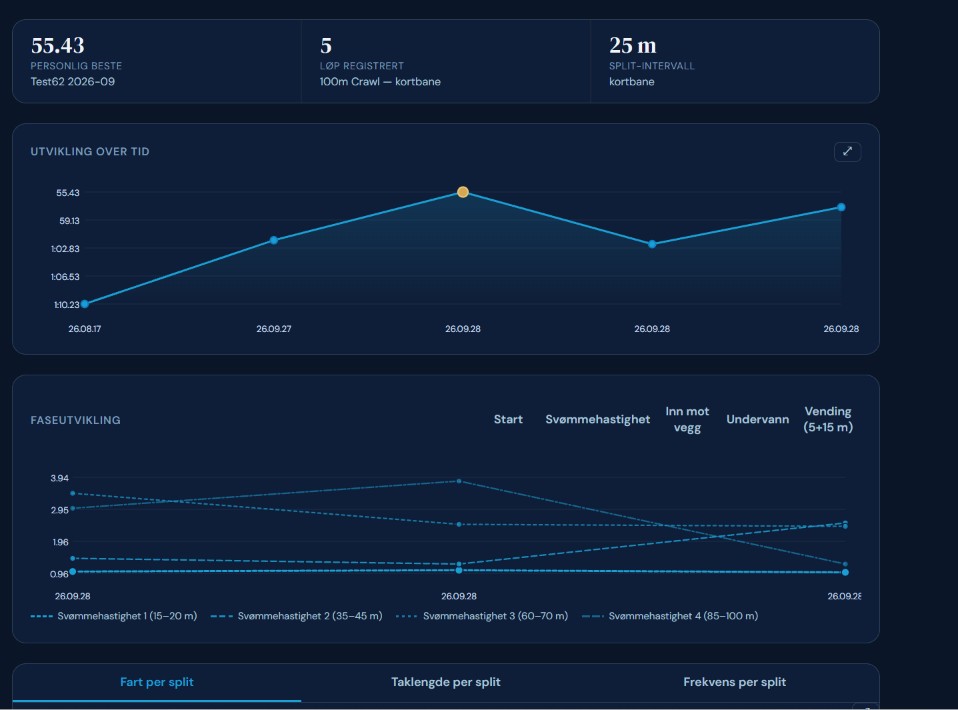
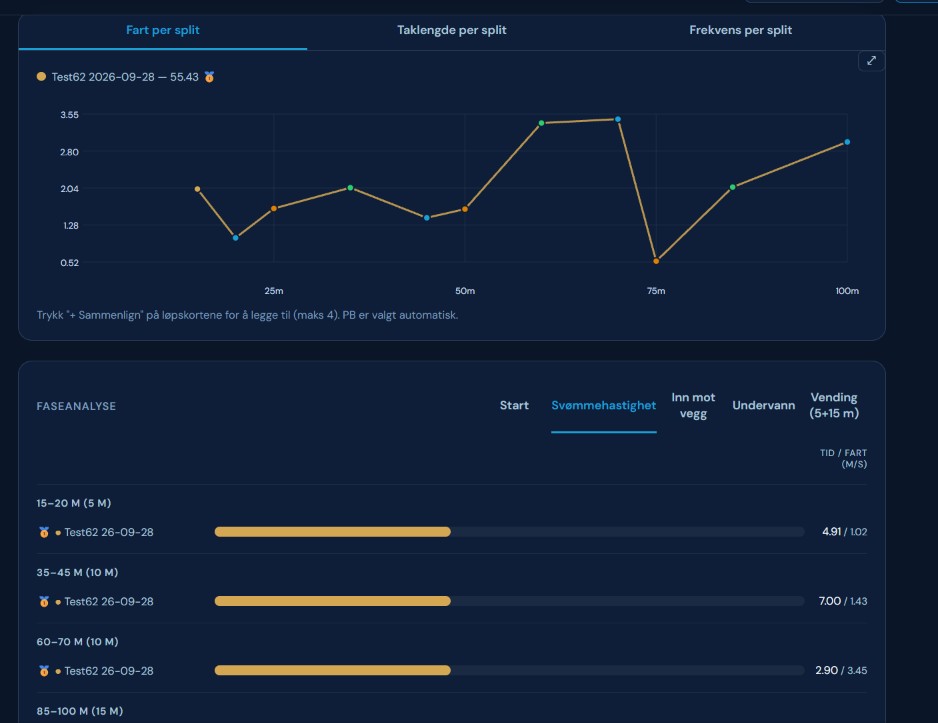
The race analysis now also shows races without split times — from meet entries and imported results. They are included in personal bests, the progress chart and the race list, so you see the whole development and not just the races you have analysed. To go deeper, tap "Analyse →" and add split times for that race.
Haven't tried AquaPlan yet?
Annual plan, weekly plan, training sets, meets and race analysis for your swim club — free for 30 days.
See how it works →