What's new in AquaPlan: technique analysis from video – without the video leaving your computer
A good video often shows more than a coach can catch from the pool deck. With the new technique analysis in AquaPlan you can play back in slow motion, draw and measure angles on the video, compare two recordings side by side and measure speed. The video is never uploaded.
 Kim Torry Simmenes · 22 November 2026 · 4 min read
See what happens too fast
A stroke takes little more than a second, and a turn is even faster. In the technique analysis you play the video at 0.1×, 0.25× or 0.5×, or step one frame at a time with the arrow keys. With an A–B loop you can repeat a single movement – one stroke, one push-off – while you explain.
Draw and measure on the video
- Drawing tools: freehand, lines, arrows, circles and text in six colours – to show body position, where the hand should enter, or where the eyes should be.
- Angle measurement: click shoulder, elbow and hand, and AquaPlan shows the elbow angle. You can also measure the angle to the horizontal, for example how far the hips drop.
- Comments: text shown at the bottom of the video from the moment you choose.
- Display time: each drawing and comment has a start time and a duration, so they come and go in step with what happens in the video.
Two videos side by side
Progress is easiest to see when you compare. Open two videos – the same swimmer in September and November, or the swimmer and a role model. Put both on the same moment, for example hand entry, and press «Link». They then play in sync, also in slow motion and frame by frame.
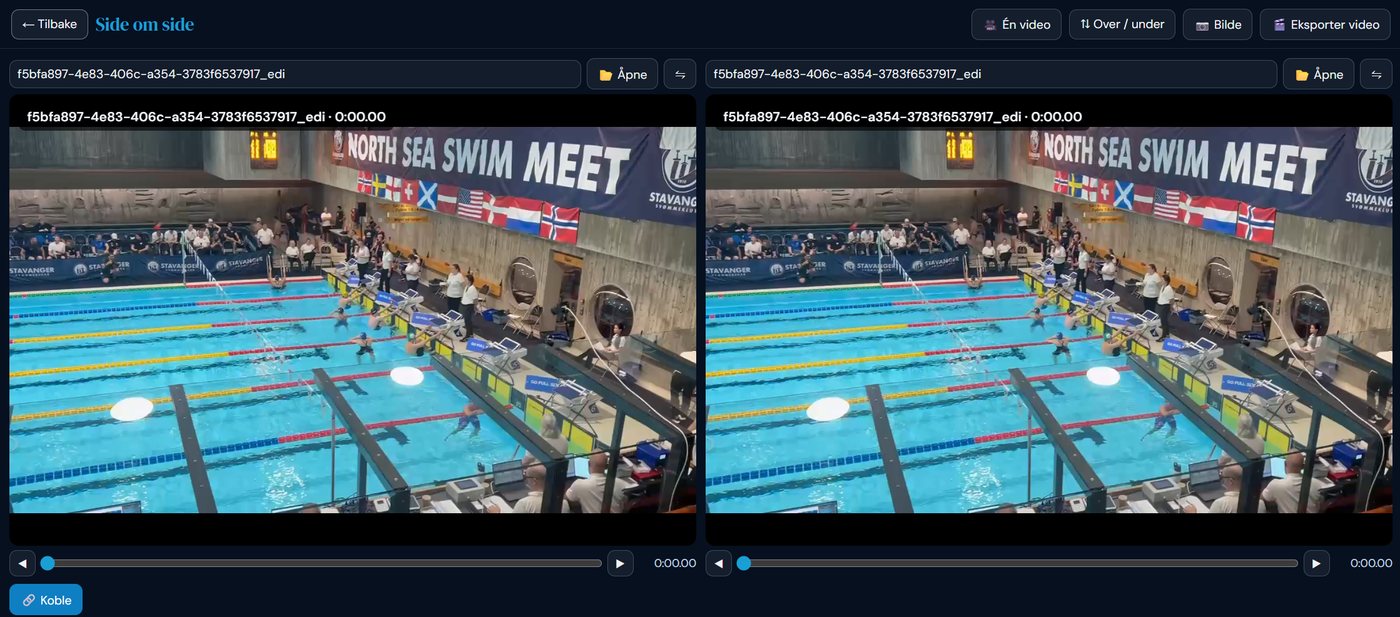
Videos filmed from opposite sides of the pool can be mirrored, and you choose whether to show them side by side or one above the other.
Measure speed
Mark a known distance in the picture, for example from the wall to the 5 m mark. Then click a point on the swimmer, step a few frames forward and click the same point again. AquaPlan calculates the speed in metres per second and the pace per 100 m. Enter the number of stroke cycles and you also get stroke rate and distance per stroke.
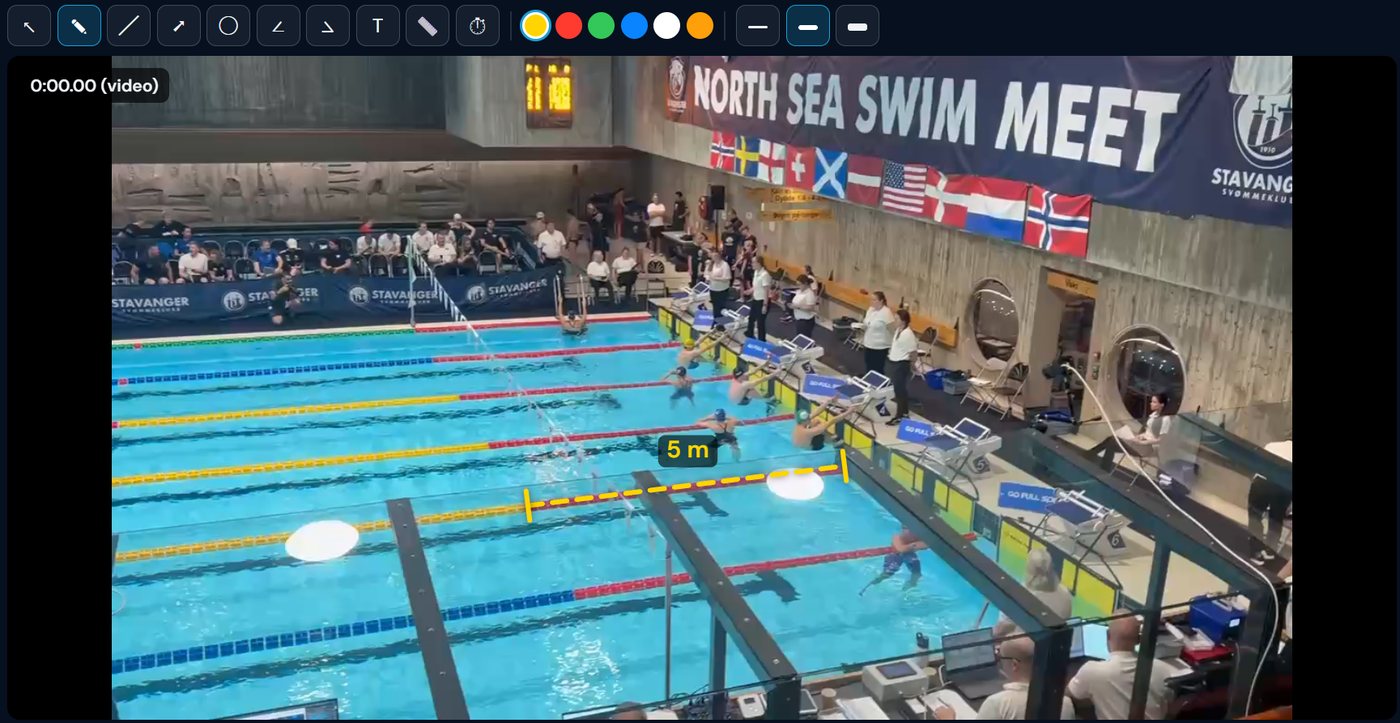
If you film in slow motion, for example 240 frames per second, you say so and the time is converted to real time. The numbers are most reliable when the camera stands still and films at right angles to the lane.
The video stays with you
The video is played only on your own computer and is never uploaded – not to AquaPlan or anywhere else. That matters when the swimmers are children and teenagers, and you never wait for an upload.
When you are done, you can save your work in three ways:
- A new video with drawings, angles and comments burned in – for the screen in the changing room or to send to the swimmer. The picture can freeze for a few seconds on the most important drawings.
- An analysis file saved next to the video, so you can open it and continue later.
- An image of a single moment with the drawings on it.
Haven't tried AquaPlan yet?
Annual plan, weekly plan, training sets, meets and race analysis for your swim club — free for 30 days.
See how it works →