What's new in AquaPlan: write sessions as text and analyse races from video
Many coaches write a session faster as text than in a form. And a race analysis is more precise when the times come straight from the video instead of a stopwatch. Now you can do both in AquaPlan.
 Kim Torry Simmenes · 9 November 2026 · 4 min read
Write the session as text
In the training set editor you will find the “✍️ Write as text” button. You write the session as you would on the whiteboard or in a note — one set per line — and AquaPlan shows you, as you type, how each line is read: stroke, set type, zone, rest or send-off, and volume per part.
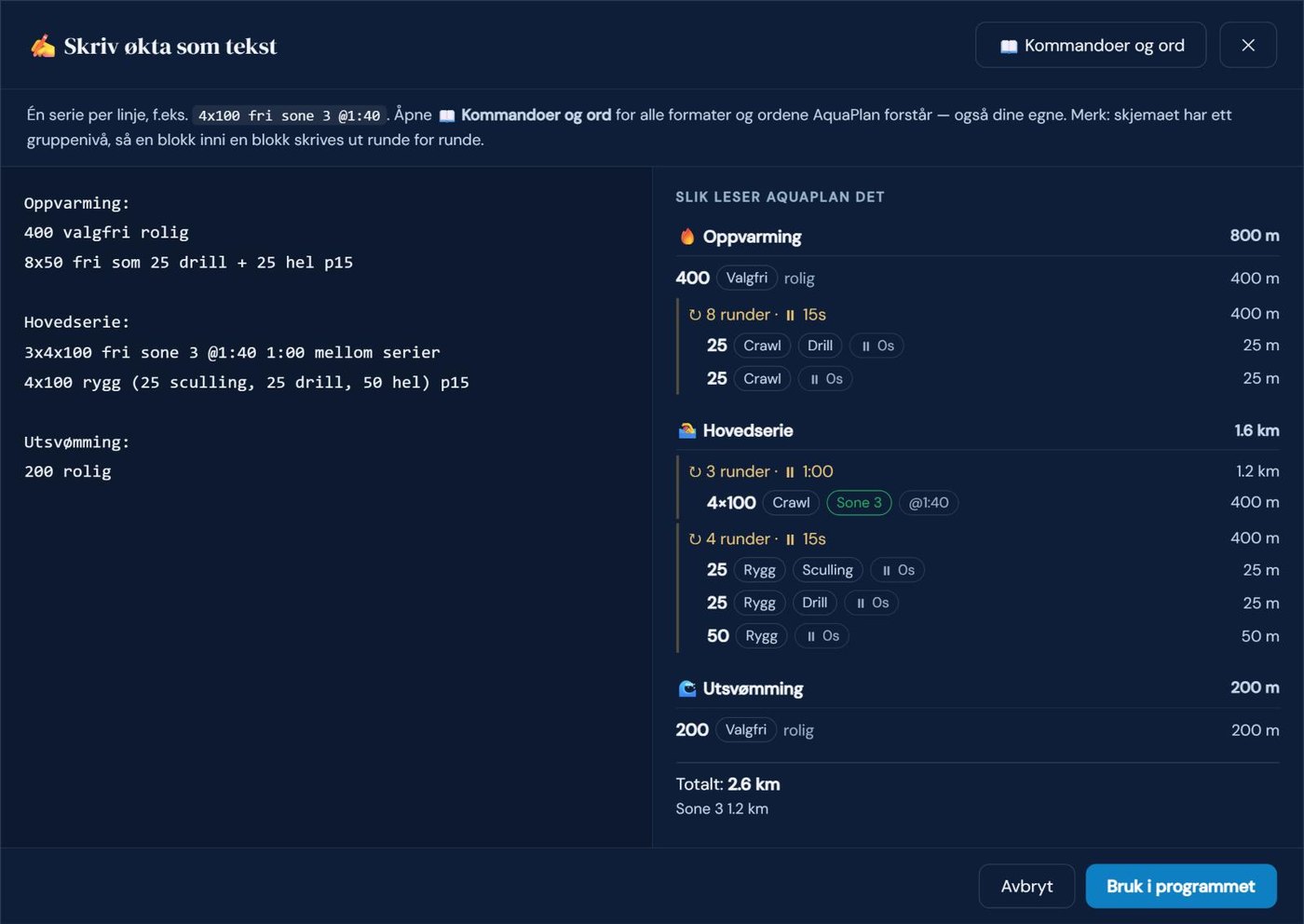
- Sets and blocks:
8x50 back p15,3x(…) p1:00,3x4x100 free @1:40or “3 sets of 4x100, set rest 2:00”. - Split distance:
4x100 back (25 scull, 25 drill, 50 swim) p15becomes three parts, so the volume per set type is correct. - Your own words: the zones come from your group's own terms, and you can add your own words for zones, strokes and set types.
- List of commands: “📖 Commands & words” shows every format with examples — and can be printed and put up by the pool.
- Print as text or table: print the session compactly as you wrote it, or as a table with every column.
The text becomes an ordinary training set. Volume, zones, summaries and the athletes' view work as before, and lines AquaPlan doesn't understand are kept as a note — nothing is lost. You can still use the form, and switch freely between the two.
Analyse the race from video
In the race analysis you can now take the times straight from a video of the race. You open the video in AquaPlan, step through it frame by frame and mark the key moments: the start signal, when the feet leave the block, 15 metres, 5 metres before the wall, the wall and 15 metres out — for every length.
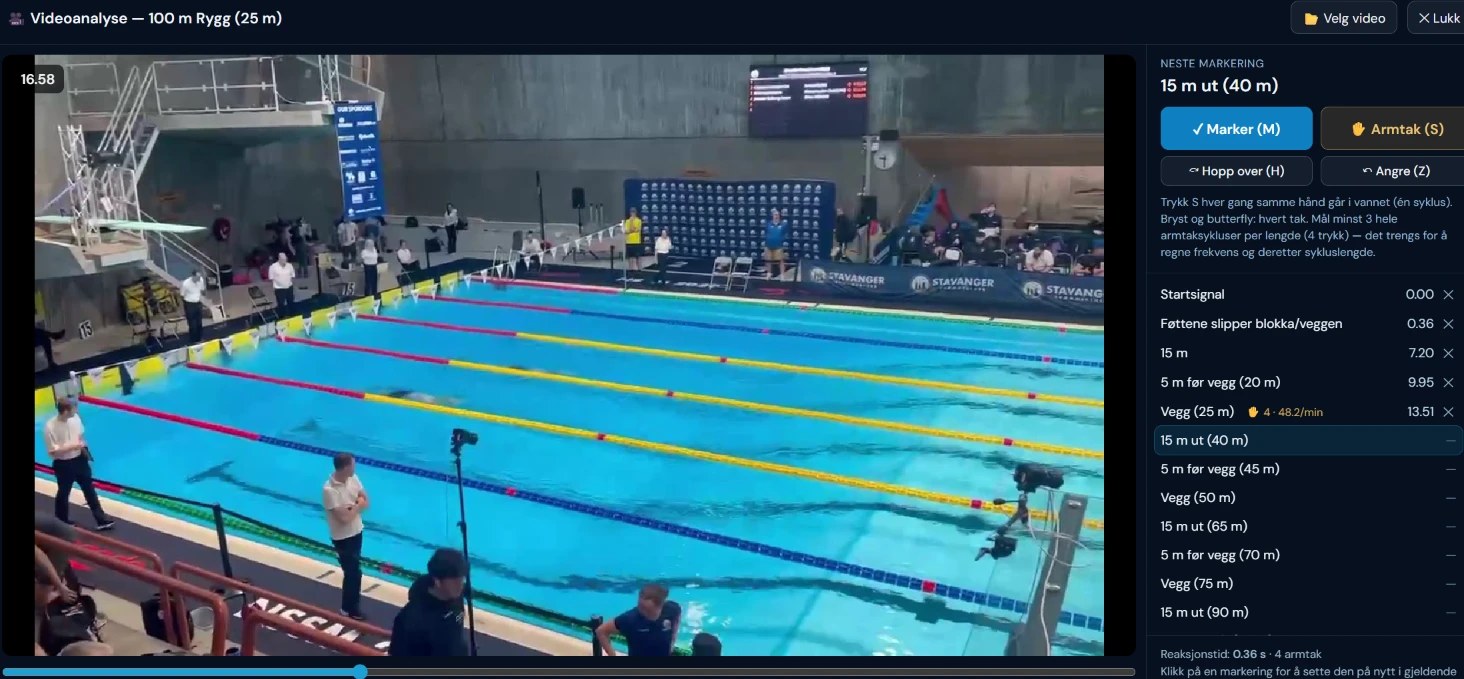
- Reaction time gets its own field.
- Strokes: tap once per cycle and AquaPlan calculates stroke rate and distance per cycle for each length. Measure at least three full cycles per length for a good number.
- Slow motion is supported, and marks that can't be seen in the video can be skipped.
- A warning if a mark seems to be in the wrong order.
The video is never uploaded. It plays only on your own device, and the only thing saved is the times you mark. That's good for your athletes' privacy — and there's no waiting for uploads.
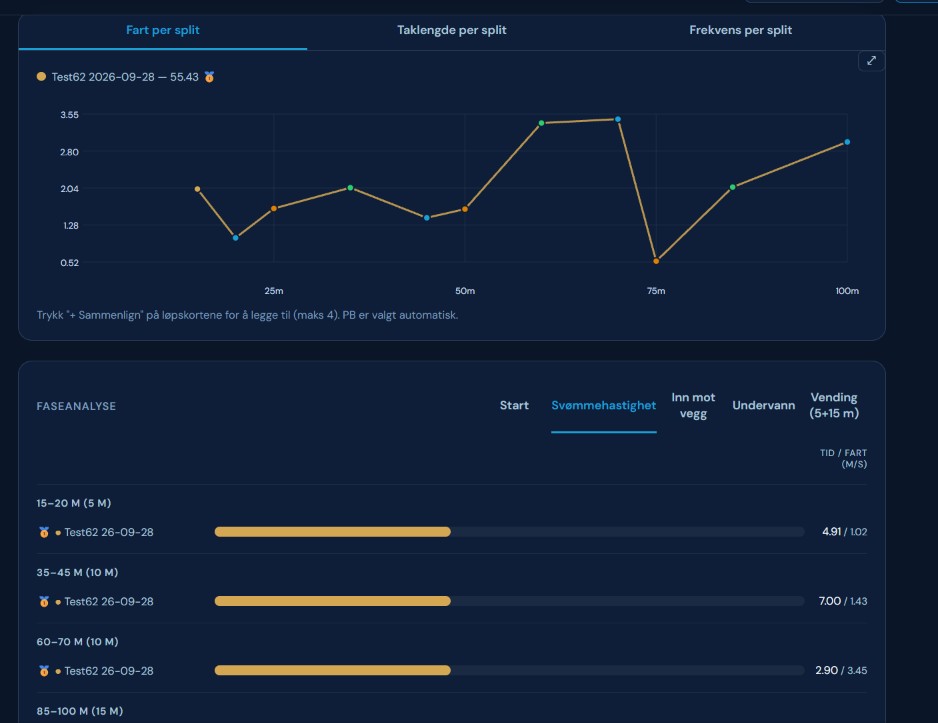
The times go into a detailed analysis: split times, speed, stroke rate, distance per stroke, start, turns and underwater phase. The marks are saved with the analysis, and you can open and edit it later — for example to add strokes.
Haven't tried AquaPlan yet?
Annual plan, weekly plan, training sets, meets and race analysis for your swim club — free for 30 days.
See how it works →